


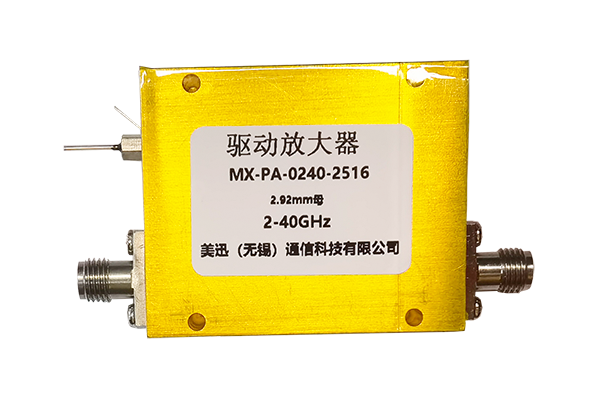




Detailed Maintenance Guidelines for Directional Couplers
Regular Cleaning & Protection
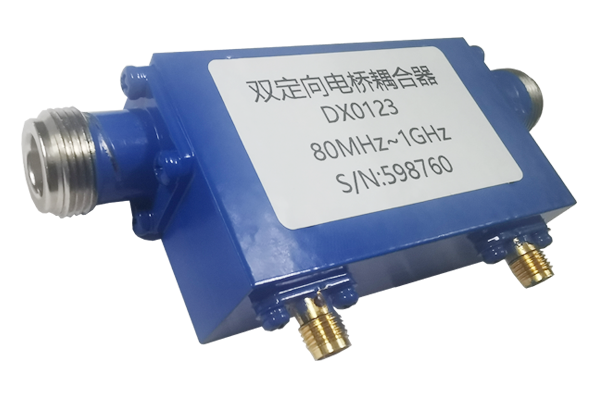
During long-term operation, dust, oil, and other impurities can easily accumulate on the surface of Directional Couplers. These substances may affect the stability of signal transmission and even cause poor port contact. Therefore, regular cleaning is necessary. Use a dry, soft, lint-free cloth to gently wipe the casing and ports. For stubborn stains, apply a small amount of specialized cleaning agent, wipe clean, and then dry with a dry cloth immediately to avoid liquid residue. Simultaneously, provide a good protective environment for the Directional Couplers, avoiding exposure to high temperatures, high humidity, and strong electromagnetic interference. If necessary, install a protective housing to reduce the corrosive effects of the external environment on the device.
- Regular wiping with dry lint-free cloth
- Use specialized cleaning agent for stubborn stains
- Avoid high temperature, humidity & EMI exposure
- Protective housing reduces environmental corrosion
Standard Operating Procedures
When connecting and disconnecting Directional Couplers, strictly follow the standardized operating procedures. Before connecting, carefully check the ports for damage or deformation, ensuring the cable connectors are intact. Align the cable with the port and insert it slowly, avoiding forceful insertion or removal that could bend or break the port pins. During debugging, avoid arbitrarily changing the parameter settings of the Directional Couplers. If adjustments are necessary, consult the equipment manual beforehand and follow the instructions step by step. Furthermore, during equipment operation, frequent plugging and unplugging of the Directional Couplers is prohibited to prevent sudden signal interruptions from impacting the devices.
- Inspect ports & cable connectors before connection
- Avoid forceful insertion to prevent pin damage
- Consult manual before changing parameters
- No frequent plugging/unplugging during operation
Real-time Status Monitoring
Establish a comprehensive Directional Couplers status monitoring mechanism. Observe signal transmission in real time using appropriate monitoring equipment, including indicators such as signal amplitude, frequency, and stability. If abnormal signal fluctuations, attenuation, or distortion are detected, immediately stop the system and inspect the Directional Couplers for internal component damage, poor port contact, or other issues. Simultaneously, conduct regular performance tests on the Directional Couplers, comparing them to initial parameters to determine if performance has degraded, allowing for timely maintenance or replacement.
- Monitor signal amplitude, frequency & stability
- Immediate system stop upon abnormal fluctuations
- Inspect for internal damage or poor contact
- Regular performance comparison with baseline
Professional Repair & Maintenance
When the Directional Couplers experience complex faults, such as internal circuit damage or a significant decrease in signal isolation, contact professional repair personnel for repair. Professional personnel possess extensive repair experience and specialized testing equipment, enabling them to accurately locate the fault and perform targeted repairs. During repair, avoid disassembling the Directional Couplers yourself to prevent improper operation from exacerbating the problem. In addition, regular professional maintenance of Directional Couplers is essential, including the inspection and reinforcement of internal components, as well as performance calibration, to ensure they are always in good working order.
- Contact professionals for complex faults
- Accurate fault location & targeted repair
- Never disassemble couplers without expertise
- Regular pro maintenance: inspection & calibration